Every wireless mic, on one screen
Live RF, audio and battery for your Shure and Sennheiser wireless systems, plus frequency coordination — with the whole crew watching along on their own phones.
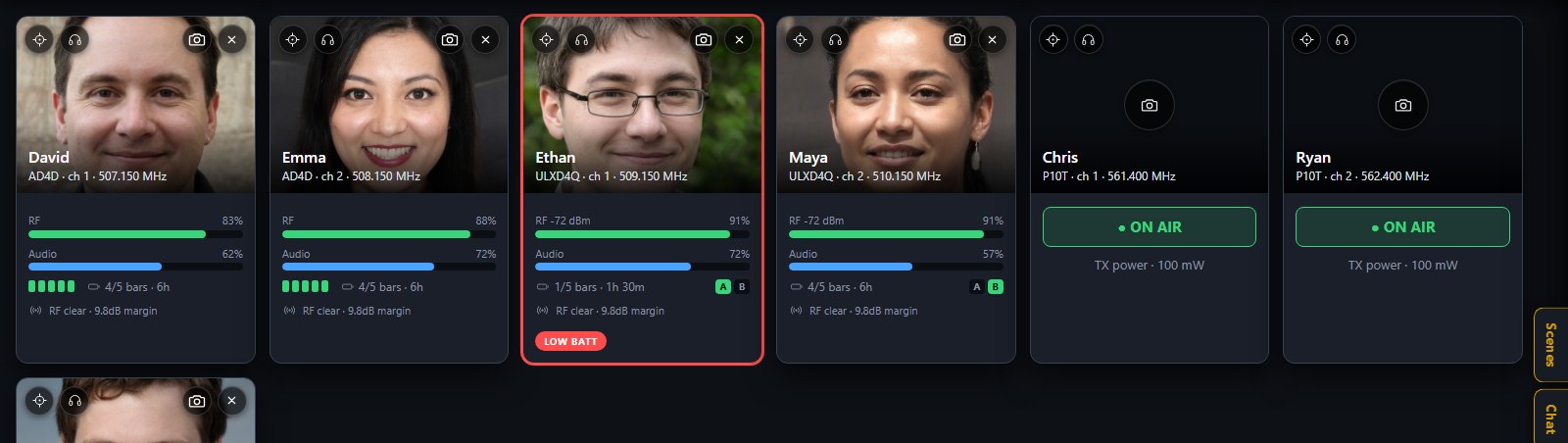
One card per channel
Every networked receiver channel becomes a card, updating live, so the whole team reads the same picture the RF tech does.
- RF level, audio, battery, antenna diversity and interference at a glance
- The performer’s name, photo, tape colour and group on the card
- Alerts the moment a mic drops RF, clips, runs low or goes off air
- Axient Digital ShowLink and transmitter power where the gear reports it
Find a clear frequency without leaving the room
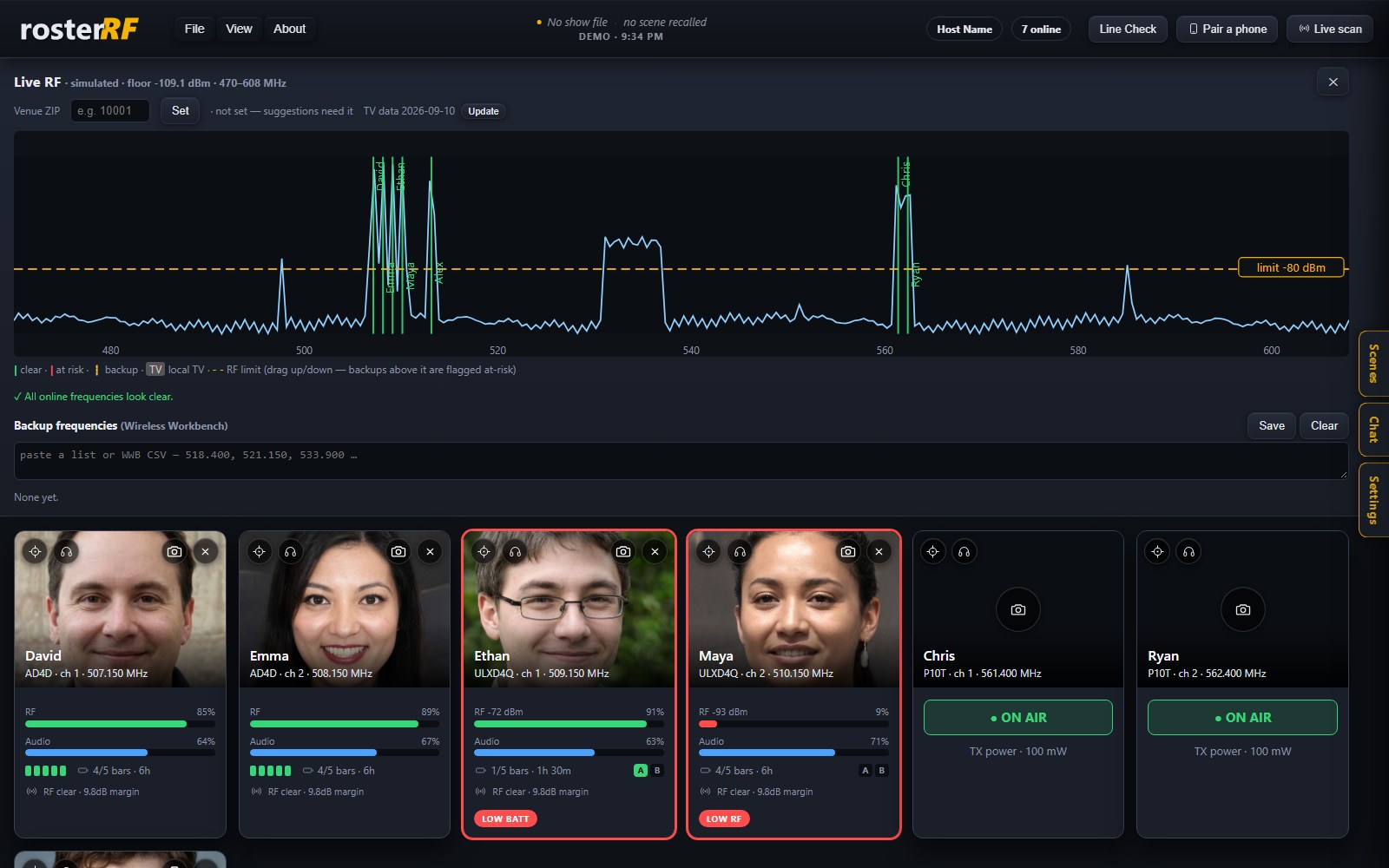
A live RF view built for show day — see the spectrum, your channels and the local TV band together, and get suggestions that stay clear of both.
- Live RF spectrum with every channel marked
- Local-TV overlay from public FCC data for your venue ZIP
- A draggable RF-limit line — backups above it are flagged at risk
- Paste your coordination-software backups and keep them monitored
Know exactly what’s on the wire
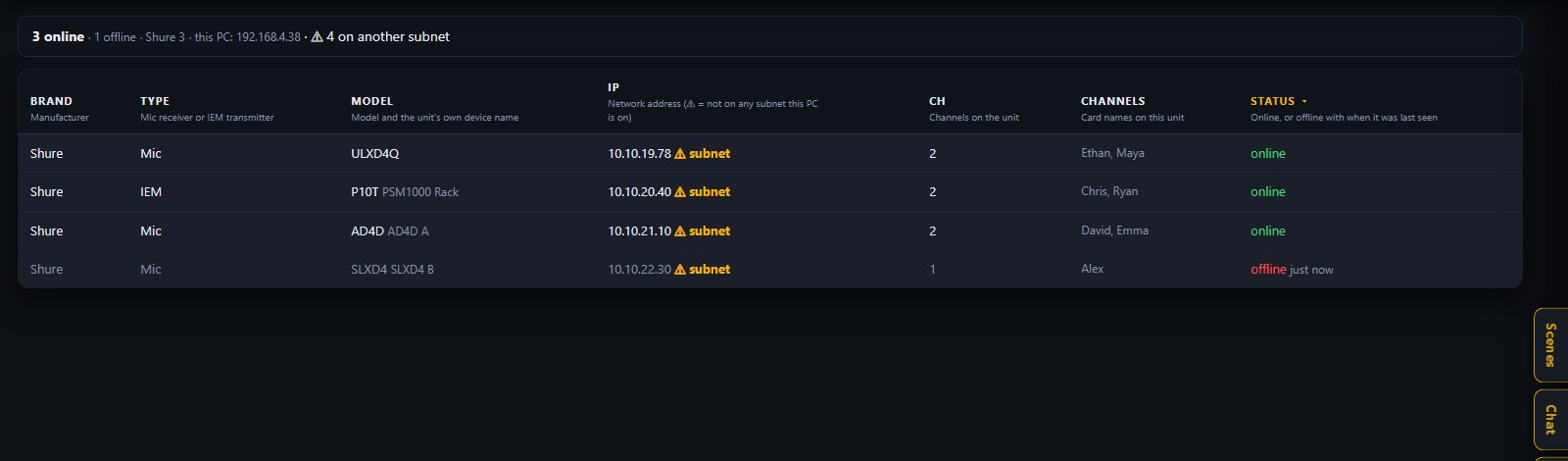
A full-width view of every receiver on the network, so a missing mic or a wrong subnet is obvious before doors.
- Every unit by brand, model, IP and channel count
- Online, or offline with when it was last seen
- A warning when a receiver sits on a subnet your computer can’t reach
- Click any column to sort
Run the show from your deck
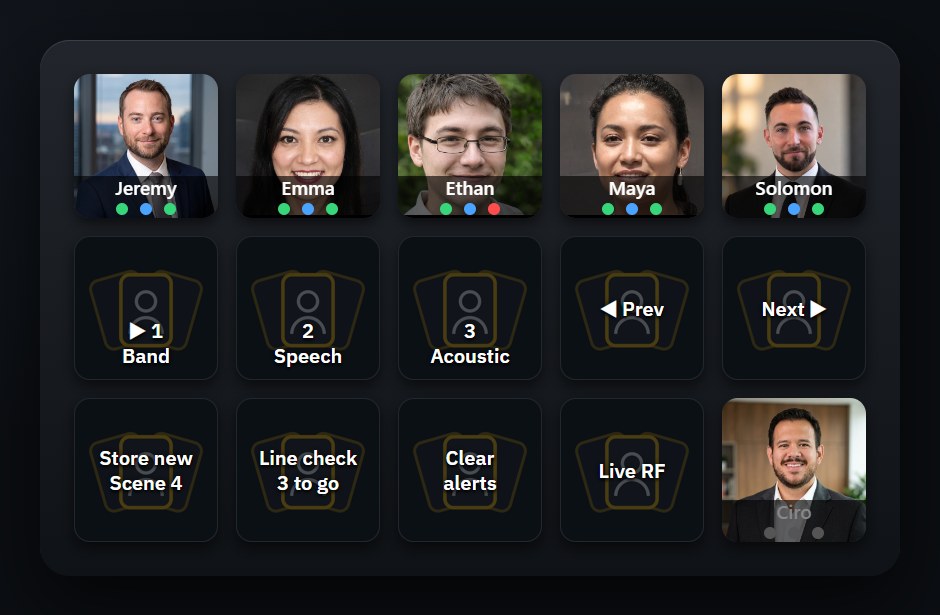
The free rosterRF plugin for Elgato Stream Deck puts each performer on a key, with their photo and live RF, audio and battery dots that turn red on a problem. Get the Stream Deck plugin · Setup guide
- Recall, step through and store scenes — Store auto-names a new scene on every press
- Line Check counts down the mics still to check, right on the key
- Clear Alerts snoozes every RF warning; Live RF opens the spectrum
- Same computer: press Detect. Another computer: paste the pairing code
Everyone watches along on their own phone
Phones and tablets scan a QR code and become live monitors on your own Wi-Fi — no app store, no accounts. Paired devices can rename, tag and photograph mics; everyone else is view-only. A show chat runs between the host and the phones, scenes recall your layouts, and Line Check walks every channel at soundcheck.
How your data stays local →Works with networked Shure receivers — Axient Digital, ULX-D, SLX-D and PSM transmitters — and Sennheiser EW-DX, Digital 6000 and EW G3/G4 receivers. A built-in demo mode with sample mics lets you explore it with no hardware at all.
Get rosterRF
Free. Windows 10 and 11, 64-bit. Uninstall any time from Windows Settings.
Using an Elgato Stream Deck? Get the rosterRF Stream Deck plugin — recall, step through and store scenes, run a Line Check, clear warnings, and per-person status keys with the mic's photo.
The installer is code-signed, so it installs cleanly. rosterRF is brand new, so Windows SmartScreen may show a “Windows protected your PC” note the first time while it earns reputation — click “More info → Run anyway”.
Shure, Axient, ULX-D, SLX-D, Sennheiser, Dante and Stream Deck are trademarks of their respective owners.
rosterRF is an independent product and is not affiliated with or endorsed by any of them.