 rosterRF
Every wireless mic, on one screen.
Each receiver channel becomes a card with the performer’s name, photo, tape colour and desk channel, and live RF, audio and battery. Alerts the moment a mic drops RF, clips, runs low or goes off air.
Each receiver channel becomes a card with the performer’s name, photo, tape colour and desk channel, and live RF, audio and battery. Alerts the moment a mic drops RF, clips, runs low or goes off air.
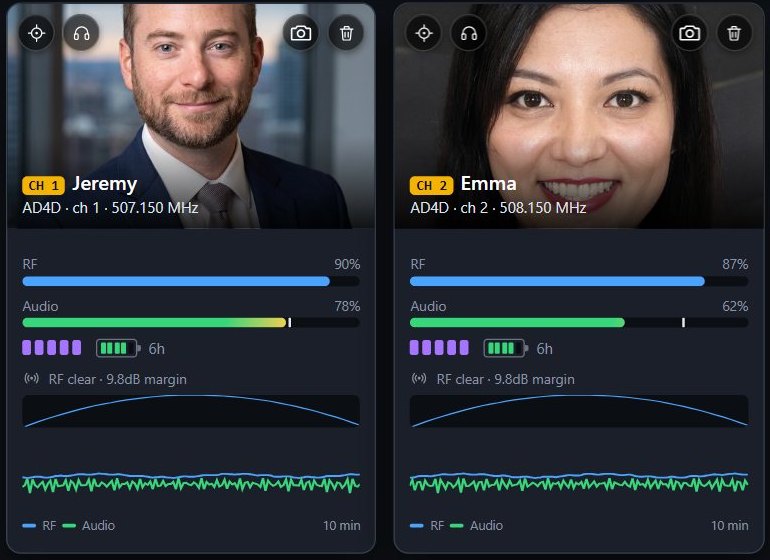
Tap the headphones button on a card to listen to that mic, on the rosterRF computer or on your phone. Walk the stage at soundcheck and confidence-check each mic by ear, without running back to the rack. The mics come in through an audio interface or Dante Virtual Soundcard on the rosterRF computer. Headphones only, never speakers.
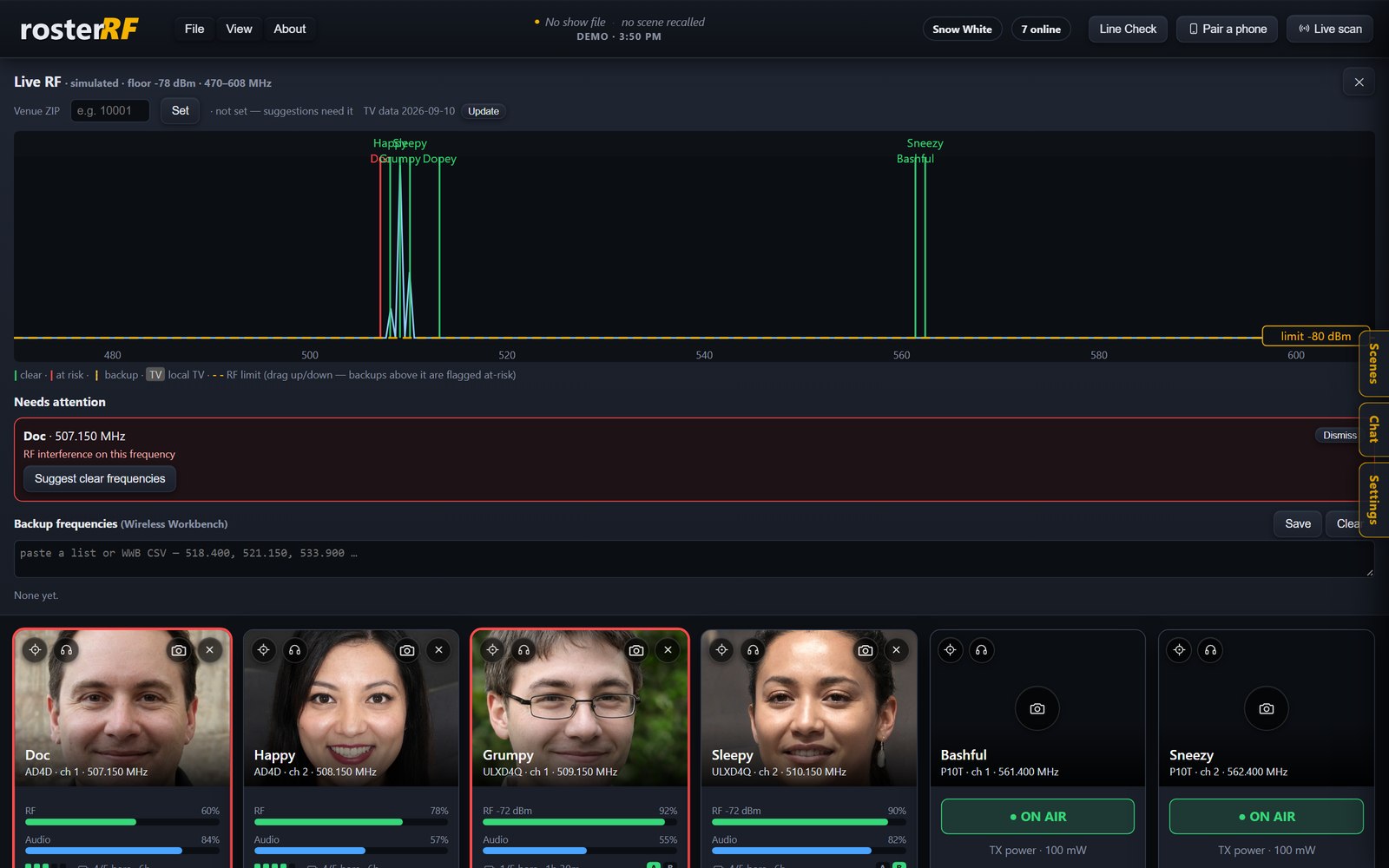
Live spectrum with every channel marked, a local-TV overlay from public FCC data for your venue ZIP, and a draggable RF-limit line. Paste your coordination backups and keep them monitored.
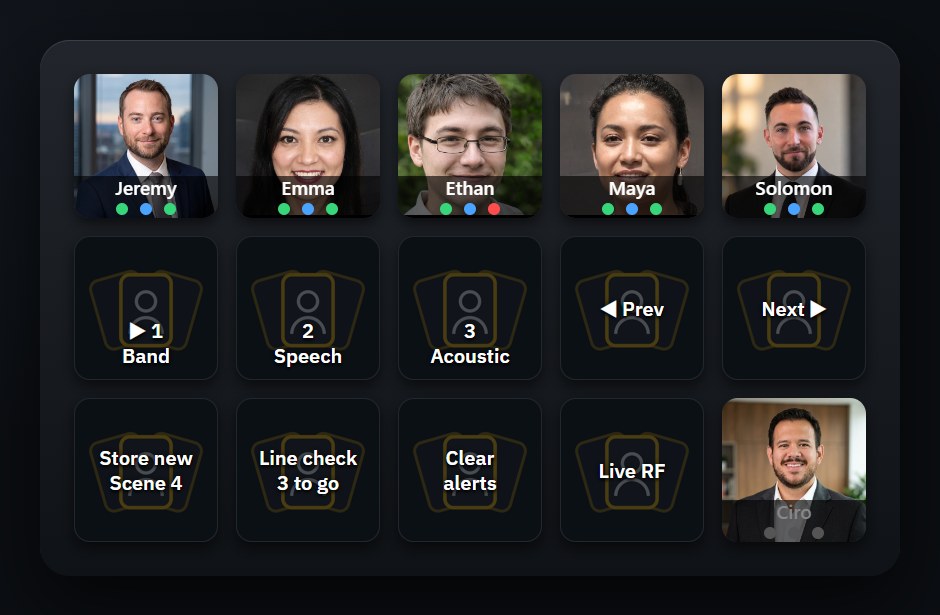
Recall a scene on the desk and rosterRF switches names, photos and layout to match. It only listens: it never sends anything to your console. The free Stream Deck plugin puts each performer on a key, with scenes and Line Check beside them.
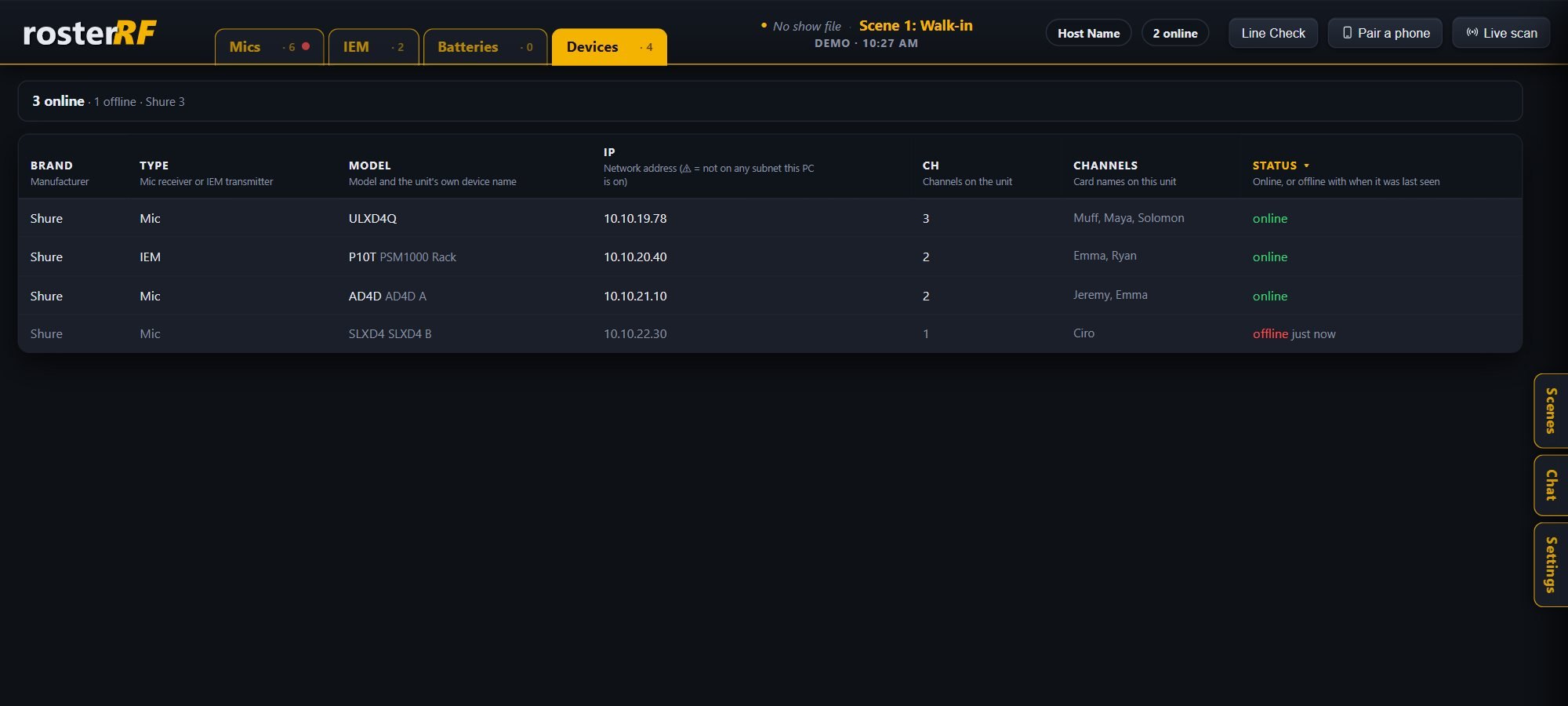
Every receiver by brand, model, IP and channel count, online or when it was last seen, with a warning when one sits on a subnet your computer can’t reach. A missing mic is obvious before doors.
What it is · for the whole crew, not just the RF tech
rosterRF watches your Shure and Sennheiser wireless mics and in-ears over the network, coordinates frequencies, and switches scenes when your console does.
Phones and tablets scan a QR code and become live monitors on your own Wi-Fi, with no app store and no accounts. Paired devices can rename, tag and photograph mics; everyone else is view-only. A show chat runs between the host and the phones, and Line Check walks every channel at soundcheck.
A built-in demo mode with sample mics lets you explore it with no hardware at all.
Free for Windows and Mac. No cloud, no accounts, no tracking.
Download · version 0.9.36
rosterRF is in open beta. Expect a few bugs here and there and some features that aren’t perfectly tuned yet. It’s free, it’s improving fast, and your feedback shapes it.
Works with
rosterRF only listens to the console. Scan finds the desk by the name set on it, and it reconnects on its own if the desk restarts mid-show.
Privacy